See what needs attention across all your sites.
Spike Search checks Google Analytics and Search Console for every site you own, then ranks what needs attention first, and why. It runs on your own computer. Pay once.
- Runs on your computer
- Read-only access to Google
- Pay once, no subscription
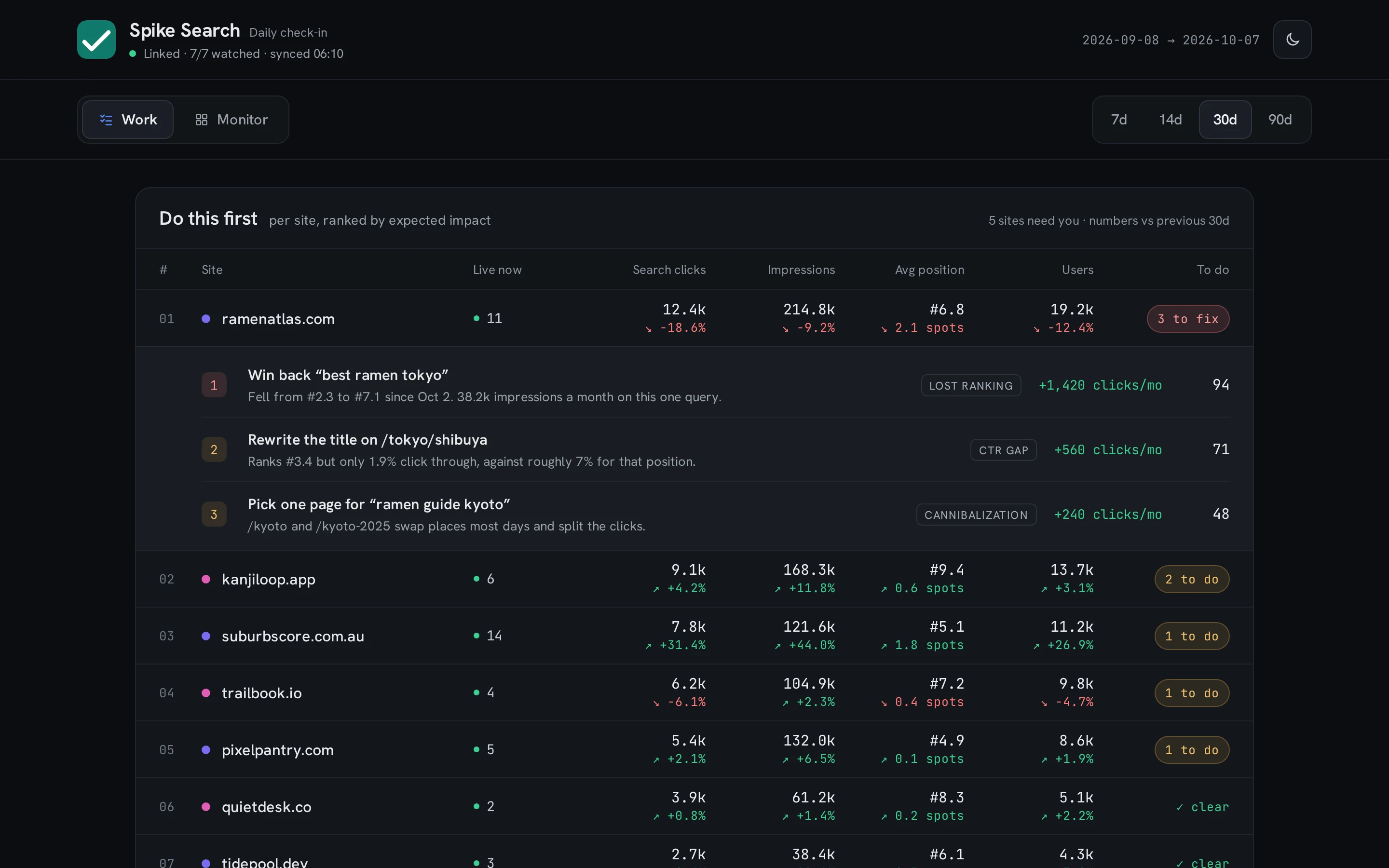
- Fix firstWin back “best ramen tokyo”ramenatlas.com fell from #2 to #7, and its clicks fell with it.1 hourto fix
Why this is first: Could help: a lotHow serious: highHow sure: veryWork: an hour
- Worth doingRewrite the title on /tokyo/shibuyaIt ranks #3, but few people click.15 minto fix
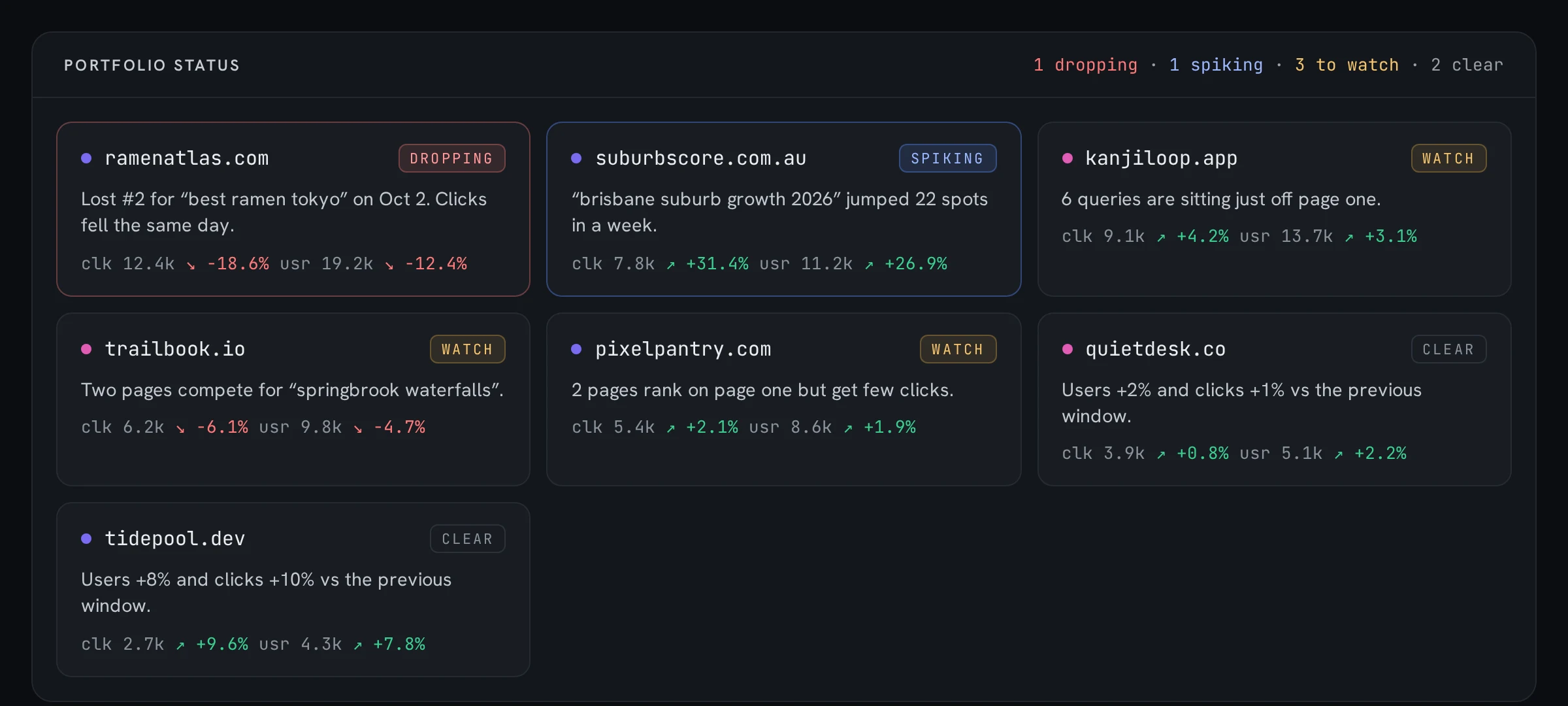
- Worth doingTwo pages compete for “springbrook waterfalls”Google can’t tell which trailbook.io page to show.1 hourto fix
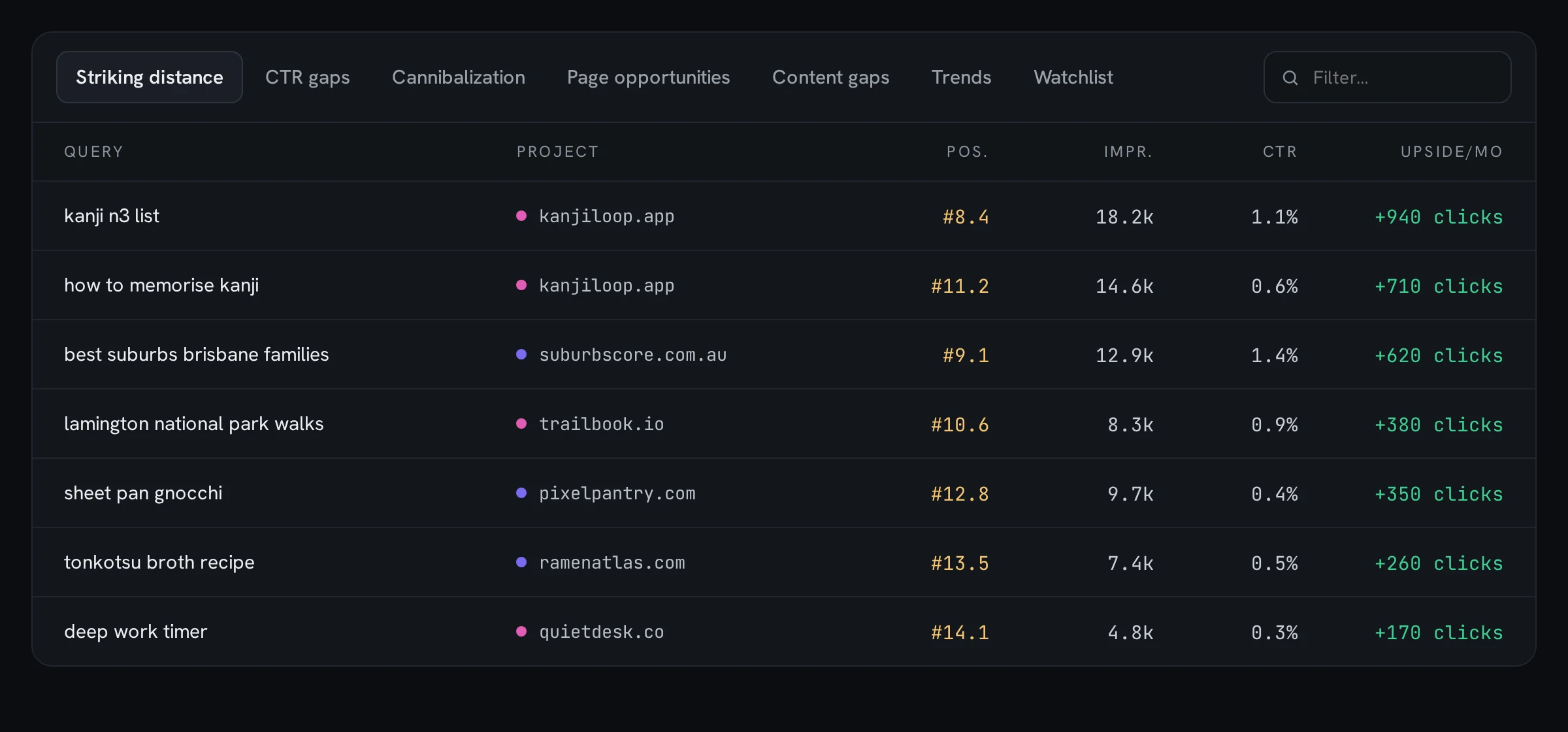
- Nice to have6 kanjiloop.app searches sit just off page oneSmall tweaks could lift them.2 hoursto fix
- Nice to haveA search is rising: “brisbane suburb growth”suburbscore.com.au jumped 22 spots this week.15 minto fix
How it works
A dashboard for Google Analytics and Search Console across all your websites, in three steps.
Step 1: Set it up once
Install the app with a few terminal commands, then give it read-only access to Google. It can look, but never change anything.
Step 2: It checks every site
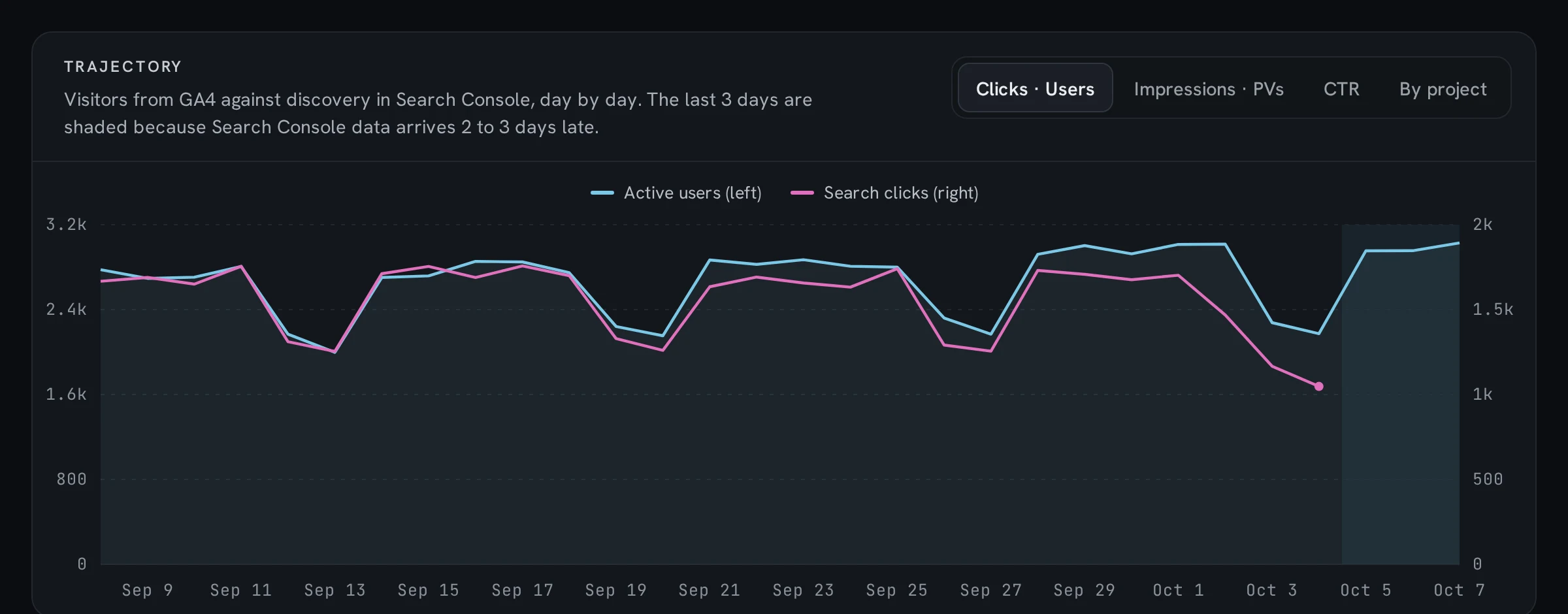
On your own computer, it reads your Analytics and Search Console numbers for each site and looks for things worth fixing.
Step 3: Open your list of fixes
The most important fixes come first, each with the reason.
What you’ll need: a Google account that has your sites in Analytics and Search Console, Node.js, and comfort running a few commands in a terminal. Setup is technical; a step-by-step guide is coming.
What you see in the app
Sample sites and made-up numbers, so nothing here is anyone’s real traffic.
What it looks for
- Pages that almost make page oneSmall tweaks can lift them.
- Pages people see but don’t clickThe title or summary may need work.
- Pages competing with each otherTwo pages fighting for the same search.
- Pages that don’t match the searchPeople arrive, then leave.
- Searches rising or fadingSee what is picking up or dropping.
- Pages Google can’t seeHidden by mistake, or broken.
- Pages that feel slowMeasured with Google’s own speed scores, called Core Web Vitals.
Private by design, made by one person
- Runs on your computer
- No account to make
- Nothing is sent to us
- Read-only access to Google
- Your data stays in one folder
Made by Kenneth, in Brisbane
I run several side-project sites at once. Checking each one in Search Console, then again in Analytics, became a chore, so I built one screen that shows them all and says what to fix first.
Get early access
One email when the private beta opens. Nothing else.
What does setup involve?
You install the app with a terminal command (it needs Node.js), create a free Google Cloud login for the app, turn on two Google services, and give it read-only access to each site. It takes some technical steps, and a setup guide is coming.
What does it need access to?
Read-only access to Google Analytics and Google Search Console for the sites you add. Nothing else.
How much will it cost?
The plan is to pay once, with a founding price after the private beta. No subscription. Final price and terms are coming before launch.